Animizo Modifier
Create animations inside Fusion without using a single keyframe. 37 easing presets, custom curves, bake to keyframes and In/Out animation for any number or position control.
Free8,366 downloads Download
Amazing
What you're sharing is really great
The Animizo. Review
One of the best you can find. Its an upgrade to fusion that Blackmagic never gave us, and we never knew we needed. I would strongly recommend it to someone who wants to edit faster.
Animizo Modifier and AnimizoFX are tools that save time with tons of options in one place
Super Plugin
Editor
A great plug-in, you are very generous to give it free. Thank you
Write a review
After you download Animizo Modifier, your download email has a Leave a review link. Reviews written there appear here labelled Verified download.
Write a review as a Clipizo member
Uses a free Clipizo account. Your review is labelled Clipizo member and appears after approval.
Verified reviews come from Clipizo downloads · Member reviews are moderated · No review is hidden for its rating.
Overview
Animizo Modifier is an easing modifier that lets you create animations inside Fusion without using a single keyframe.
The modifier outputs procedurally eased values you can drop onto any animatable parameter including position, size, opacity, rotation, and more. Choose from 37 built-in easing presets including Sine, Quad, Cubic, Quart, Quint, Expo, Circ, Back, Elastic, and Bounce in Ease In, Ease Out, and Ease In Out variants.
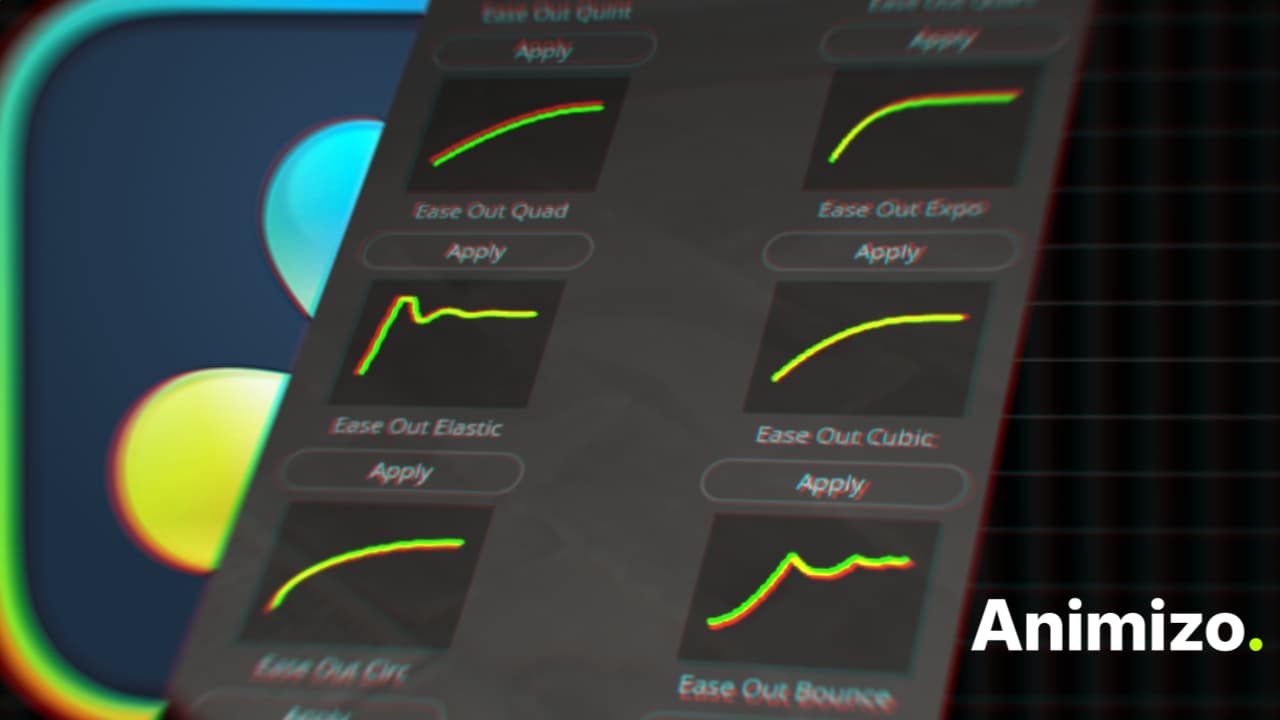
Use the custom curve mode with a visual curve browser and preset thumbnails for fully manual animation profiles. Bake procedural animations to editable keyframes when you need to hand off a comp or fine-tune manually.
Set up In and Out animations timed in frames. Generate a Modifiers Note to list every Animizo modifier in your comp with its host node and animated values.
It comes as two modifiers, one for number controls such as size, opacity and rotation and one for position controls such as Center. In Resolve both show as Animizo.
No keyframes, no Spline tool, no manual interpolation. Just pick a curve and set your start and end frames.
Requirements
- Software
- DaVinci Resolve (Free or Studio) or Fusion Studio
- Works in
- The Fusion page
- Operating system
- Windows or macOS (the included install guide covers both)
- Download
- One ZIP with the Studio installer, the .fuse file and How to Install.txt
Questions about your setup? Ask in the Clipizo Discord or send us a message.
Key features
- Create animations inside Fusion without using a single keyframe.
- More than two points: Add Keyframe keeps the move going after End through up to six more points, each with its own frame, value and curve, and Smooth flows through them.
- 37 easing presets including Sine, Quad, Cubic, Quart, Quint, Expo, Circ, Back, Elastic, and Bounce.
- Ease In, Ease Out, and Ease In Out variants for every single curve.
- Custom curve mode with a visual curve browser and preset thumbnails.
- Bake procedural animations to editable keyframes for handoff or manual fine-tuning.
- In and Out animation, timed in frames.
- Generate a Modifiers Note to list all Animizo modifiers in your comp.
- Works on number and position controls; in Resolve it shows as Animizo for both.
- Drop the modifier onto any numeric or point control including position, size, opacity, rotation, and more.
Best for
- Motion graphics and title animation
- Logo reveal and brand animation
- UI and HUD style overlays
- Reusable animation rigs and templates
- Procedural position and scale animation
- Quick easing without touching the Spline tool
Thank you, first supporters
Animizo Modifier was paid until October 14, 2026. Everyone listed below bought it before it went free, and their support helped build it.
- Jonathan@TacomaSound
Many more supporters chose to remain anonymous. Thank you to them too.
Setup & help guide for Animizo Modifier Install, find it in Resolve, the controls, common problems, uninstall
Animizo Modifier 1.3 Fuse package: the number modifier (Animizo.fuse) and the position modifier (Animizo Point.fuse). In Resolve both show as Animizo.
Install
- Extract the complete ZIP before installing. Keep its How to Install.txt beside the files.
- Resolve Studio / Fusion Studio: drag the supplied Lua Studio installer into the Fusion Nodes area, follow its prompts, then restart the application.
- Resolve Free: close Resolve and copy Animizo.fuse to your user Fuses folder. Create that folder if needed.
- Windows user Fuses folder: %AppData%\Blackmagic Design\DaVinci Resolve\Support\Fusion\Fuses
- macOS user Fuses folder: ~/Library/Application Support/Blackmagic Design/DaVinci Resolve/Fusion/Fuses/
- Restart Resolve. Use the instructions in your package if its installer or host version differs.
- For a manual install, also copy Animizo Point.fuse into the same Fuses folder.
Where it appears in Resolve
On the Fusion page, right-click an animatable number or position control → Modify With → Animizo. Select the Inspector’s Modifiers tab to adjust the animation.
Controls in plain words
Some controls appear only after choosing the relevant mode.
In animation (Number and Point)
- Enable
- Turns this modifier’s procedural animation on or off.
- Animation Mode / Custom Curve
- Chooses the easing shape; Custom Curve lets you supply an editable curve.
- Start Frame / End Frame / Capture
- Sets the animation interval. Each Capture button copies the current playhead frame to its adjacent field.
- Start Value / End Value
- Sets the beginning and ending number for the Number modifier.
- Start Position / End Position
- Sets the beginning and ending X/Y location for the position modifier.
- Key 3 to Key 8: Frame / Capture, Value or Position, Curve
- Keyframes after End (six at most), each with its own frame, value or position, and curve. Smooth flows through the keyframe, Same as In uses the In’s curve, or pick a preset.
- Add Keyframe / Remove Last
- Add Keyframe adds the next keyframe, holding the value before it: at the playhead when it is past the last keyframe, otherwise the In’s length after it. Remove Last takes the last keyframe off.
- Strength
- Adjusts the intensity of easing modes that expose this control.
- Bounce Height / Bounce Damping
- Changes bounce amount and how quickly the bounces settle.
- Elastic Height / Elastic Damping / Elastic Frequency
- Changes spring overshoot, how quickly it settles, and how often it oscillates.
- Delay
- Offsets the animation timing in frames.
- Loop / Reverse
- Repeats the motion or reverses its direction.
- In Curve Browser / preset thumbnails / Apply
- Opens curve choices and applies the selected preset.
Out animation and utilities
- Enable (Out Animation)
- Turns the exit animation on. Its timing and curve controls appear when enabled.
- Mirror
- Uses a mirrored return animation based on the In animation.
- As Soon As In Animation Ends (with Mirror)
- With Mirror on, starts the mirrored Out the moment the In animation finishes. Untick it to set Out Start Frame yourself.
- Out Animation Mode / Out Custom Curve
- Chooses the Out easing shape or its custom curve.
- Out Start Frame / Out End Frame / Capture
- Sets the Out interval; Capture takes the playhead frame.
- Out End Value, or Out End Position
- Where the Out animation ends. Without Mirror the Out starts where the In ended. On a new modifier it starts at the control’s own value.
- Out Strength / Out Bounce Height / Out Bounce Damping
- Tunes the Out easing and bounce intensity and settling.
- Out Elastic Height / Out Elastic Damping / Out Elastic Frequency
- Tunes the Out spring’s size, settling and oscillation rate.
- Out Delay / Out Curve Browser / Apply
- Offsets the Out timing or chooses and applies its curve preset.
- Bake Animation
- Converts the procedural result to editable keyframes in one undo step, then tells you what it baked. Save a copy of the composition first if you want to keep the procedural setup.
- Generate Modifiers Note
- Makes a sticky note named AnimizoNote1 listing every Animizo modifier with its host control and keyframes; clicking again updates that note.
- YouTube / Clipizo Store
- Open the Clipizo channel and the Clipizo store in your browser.
Common problems
- Not in the tool search
- Extract the ZIP, check that the file still ends in .fuse, and restart Resolve after copying it. Use the user Fuses location for a manual install. Avoid installing a second copy of the same tool.
- An older interface still appears
- Resolve caches Fuse code. Fully restart it, then try a newly added node; an existing node may retain saved values.
- Modifier missing from Modify With
- Animizo shows on number and position controls only. Both Fuse files (Animizo.fuse and Animizo Point.fuse) must be installed, and Resolve restarted afterwards.
- No movement
- Make Start and End values different, enable the modifier and scrub inside the interval.
- An “Animizo” node, or “Unknown tool found: SizeAnim1”
- That is an old test macro from earlier downloads, not part of Animizo. In Resolve Studio, run the Studio installer from a new download: it retires the old node. Otherwise close Resolve and move Animizo.setting and Animizo.png out of the folders listed in How to Install.txt.
Uninstall
- Close Resolve / Fusion. Move only Animizo.fuse out of the Fuses folder where you installed it, to a backup folder outside the Fusion search folders.
- If you used the Studio installer, its files are in the shared Clipizo/Fuses folder. Leave other Clipizo files in place.
- Restart the application. Existing projects using this tool will need it reinstalled to render the same result.
- Also move Animizo Point.fuse out of the Fuses folder. Keep the original ZIP for projects that depend on it.
Still stuck? Contact Clipizo with the plugin version, Resolve version, operating system and the exact error message.
Get Animizo Modifier
Check the requirements first.
Free8,366 downloads Download
Updates log
v1.3
Animizo Modifier v1.3 lets a move keep going after End through up to six more points, makes Bake clearer and fixes Bounce, Elastic and the Out.
What's new in 1.3
- Keyframes after End: click Add Keyframe and the move keeps going through up to six more points (Key 3 to Key 8), each with its own frame (with Capture), value or position, and curve. Remove Last takes the last one off.
- Smooth, the default curve for a keyframe, flows through it without stopping. Same as In or any preset makes that move its own, and Delay, Loop, Reverse and the Out (Mirror too) follow every keyframe.
- Bake Animation is one undo step, and afterwards it tells you which controls it baked, over which frames, and what it couldn't bake.
- Generate Modifiers Note lists the keyframes.
- Both modifiers now show as Animizo in Resolve. Fusion offers each one only on its own kind of control.
Bug fixes
- Bounce now lands on the End at every Bounce Damping setting, without a jump.
- Elastic with low damping settles onto the End instead of snapping there on the last frame.
- Out Delay now also delays a mirrored Out that starts as soon as the In ends.
- With Reverse on, an Out of its own starts where the In ended instead of jumping.
- Bake now bakes Ease Hold Ease and Custom Curve exactly as they play. Ease Hold Ease used to bake as Ease In Out.
- On a new modifier, Out End Value (or Out End Position) starts at the control's own value instead of 0 or the centre of the frame.
- Apply in the In Curve Browser no longer turns Loop and Reverse off.